Brand
Tempi’s logo, icon and words.
For listings, plugins, directories and press. Everything is below, or in one download.




Files
Icon. Rounded corners, transparent outside them. For places that show your icon as it is.
tempi-icon.svgtempi-icon-1024.pngtempi-icon-512.pngtempi-icon-256.pngtempi-icon-128.png




Icon, square. Full bleed. For places that round or mask icons themselves: Slack, Microsoft Teams (192), Google Workspace (32 to 128).
tempi-icon-square.svgtempi-icon-square-1024.pngtempi-icon-square-512.pngtempi-icon-square-192.pngtempi-icon-square-128.png





Icon, Chrome. 128 px with 16 px of transparent padding, as the Chrome Web Store asks.

Mark. The T alone, one colour, transparent. For monochrome and outline icon slots, like Microsoft Teams.
tempi-mark-black.svgtempi-mark-white.svgtempi-mark-black-192.pngtempi-mark-white-192.pngtempi-mark-white-32.png




Logo. Icon and wordmark. Black text on light backgrounds, white text on dark.
tempi-logo-black.svgtempi-logo-white.svgtempi-logo-black.pngtempi-logo-white.png


Wordmark. The name alone, drawn as shapes, so no font is needed.
tempi-wordmark-black.svgtempi-wordmark-white.svgtempi-wordmark-black.pngtempi-wordmark-white.png




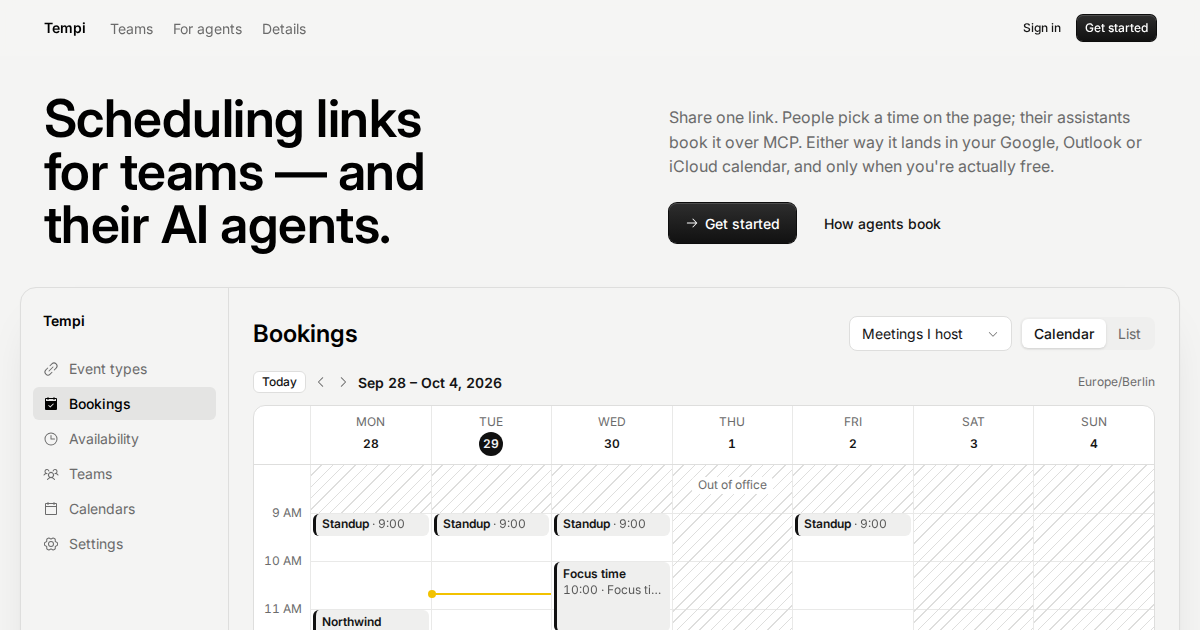
Social card. 1200 × 630, for link previews and launch posts.
More icon sizes (16 to 1024 px) are in the download.
Colours
Type is Inter. SemiBold for the wordmark and headings, Regular for text.
Descriptions
Tagline, up to 30 characters
Scheduling links for AI agents
Tagline, longer, up to 60 characters
Booking links that people and their AI assistants can use
Short, up to 80 characters
Scheduling links that people and their AI assistants can book.
One line, up to 100 characters
Booking links people and AI assistants can book, with approval and recurring series.
Plain, up to 160 characters
Tempi is a scheduling tool. People book time from your link, or their AI assistant books it over MCP, and it lands on your Google or iCloud calendar.
Medium, up to 200 characters
Share one link. People pick a time, or their AI assistant books it over MCP. Approval, recurring series and team scheduling, on your Google Calendar.
Paragraph, up to 500 characters
Tempi is a scheduling tool for people and their AI assistants. Share one link: people pick a time, or ask Claude, ChatGPT or their own agent to book it over MCP, with no account and no key. Tempi checks your Google or iCloud calendar and adds a Meet or Zoom link. Approve bookings before they’re confirmed, let clients book a weekly series in one go, and share one page with your team.
Long, up to 2000 characters
Tempi is a scheduling tool built for people and their AI assistants. Share one booking link: people pick a time on the page, or ask Claude, ChatGPT or their own agent to book it over MCP, with no account and no key. Tempi checks your Google or iCloud calendar, so people only see times you’re free, and puts every booking on your calendar with a Google Meet or Zoom link. Hosts can approve bookings before they’re confirmed, let clients book a recurring series in one go, and set hours, buffers and limits per event type. Teams share one page with round robin and collective meetings. Booking pages embed on any website or in Notion. Connect your own AI assistant to your Tempi account over MCP with OAuth, and it can set up event types, working hours and teams, and manage your bookings.
Categories: Productivity, Scheduling, Calendar.
Example prompts
- Book 30 minutes with meettempi.com/<their link> next week, in the afternoon.
- What’s on my Tempi calendar this week? Approve the pending requests.
- Create a 45-minute coaching event type that clients can book every week.
Links
- Website: https://meettempi.com
- For AI assistants: https://meettempi.com/ai
- Agent docs: https://meettempi.com/llms.txt
- OpenAPI: https://meettempi.com/api/openapi.json
- MCP server, public (no auth, booking tools): https://meettempi.com/mcp
- MCP server, account (OAuth 2.1 with PKCE, scopes read and manage): https://meettempi.com/mcp/account
- Privacy policy: https://meettempi.com/privacy
- Terms: https://meettempi.com/terms
- Support: hello@meettempi.com
- Changelog: https://meettempi.com/changelog
Using the logo
- Tempi is one word with a capital T. Not TEMPI, tempi or Tempi.app.
- Leave clear space around the logo of at least a quarter of the icon’s height.
- Use the icon at 16 px or larger, and the logo at 96 px wide or larger.
- Don’t recolour, stretch, rotate or outline the icon or the wordmark, or add effects to them.
- Don’t put the yellow icon on a yellow background. Use the black or white mark instead.