Outlook and Microsoft Teams
A booking page for Outlook, with a Teams link for every booking.
Connect Outlook or Microsoft 365, and Tempi only offers times you’re free and adds every booking to your calendar. Set an event type to Microsoft Teams, and each booking gets its own Teams link. Free.
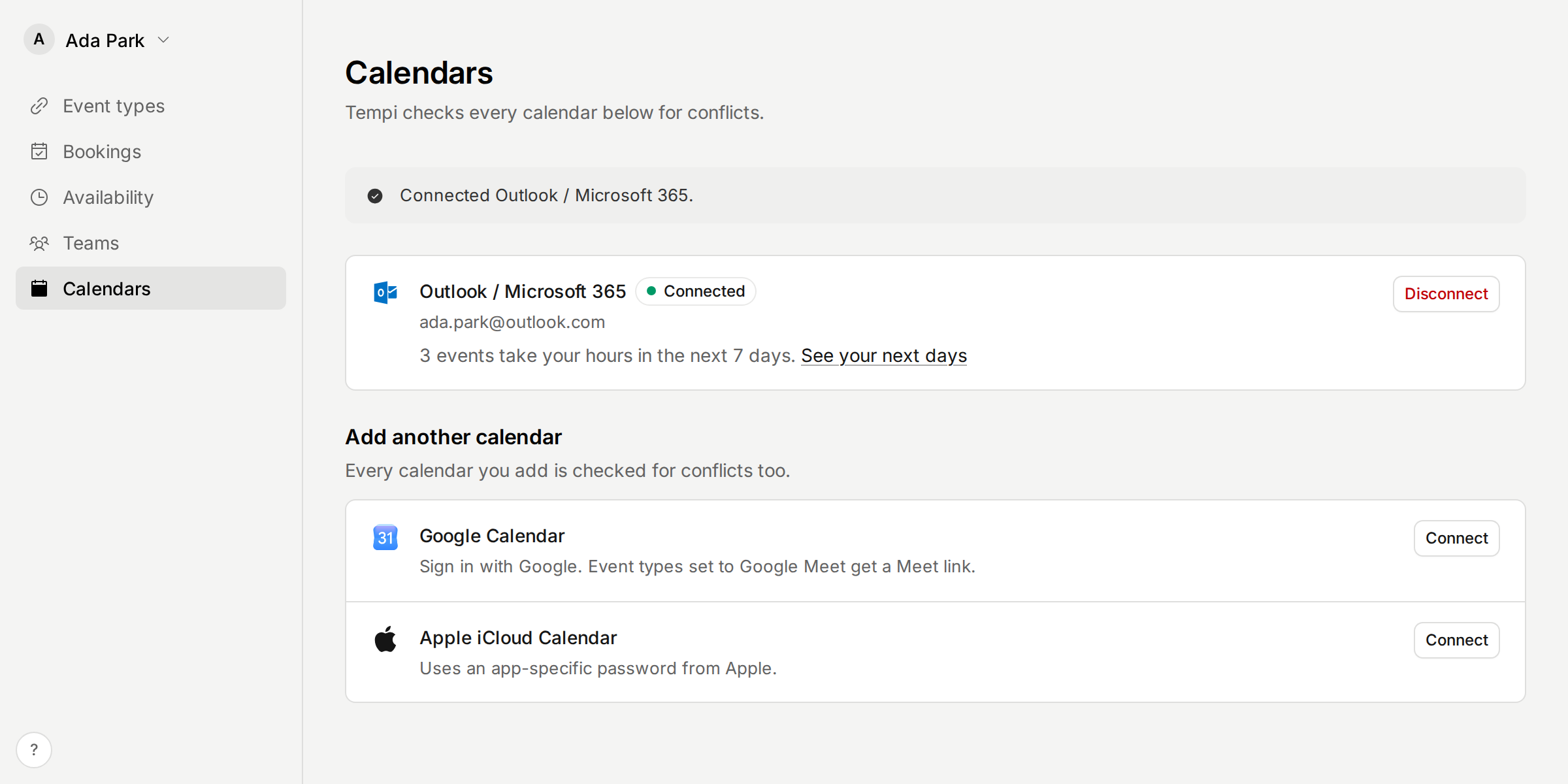
Connect Outlook
Personal accounts (Outlook.com, Hotmail) and work or school accounts (Microsoft 365) both work.
- In Tempi, open Calendars. Next to Outlook / Microsoft 365, choose Connect.
- Sign in with Microsoft and allow Tempi to read and write your calendar.
- If it’s your first calendar, it becomes your booking calendar. Otherwise, choose it under New bookings go to.
- New to Tempi? Choose Continue with Microsoft when you sign up, and your calendar is connected at the same time.
What Tempi reads and writes
Tempi reads when you’re busy in your Outlook calendar, so nobody can book those times. Events shown as free or working elsewhere don’t block time. An all-day event takes your whole day, in your time zone.
When Outlook is your booking calendar, Tempi adds each new booking to it and invites the invitee. It moves the event when the booking moves, and cancels it when the booking is cancelled. Tempi changes only the events it added.
Give every booking a Teams link
- Open an event type and set Location to Microsoft Teams.
- With Outlook as your booking calendar on a work or school account, each booking gets its own Teams link. It’s in the invitation, on the confirmation and in the emails.
- Moving a booking keeps its link. Cancelling it cancels the meeting.
On a personal Outlook account
Microsoft makes Teams links this way only for work and school accounts. On a personal account, your invitee is told you’ll send the link.
Make a meeting link in Teams and paste it into the booking. Tempi emails it to the invitee, and their reminders show it. If a booking still has no link a day before, Tempi reminds you.
Good to know
Outlook and Teams links are on the Free plan.
Some workplaces only let people connect apps their IT team has allowed. If Microsoft asks for an admin’s approval, send them this page.
To stop Tempi using your calendar, open Calendars and choose Disconnect. Events it already added stay on your calendar.