An event type has its own page
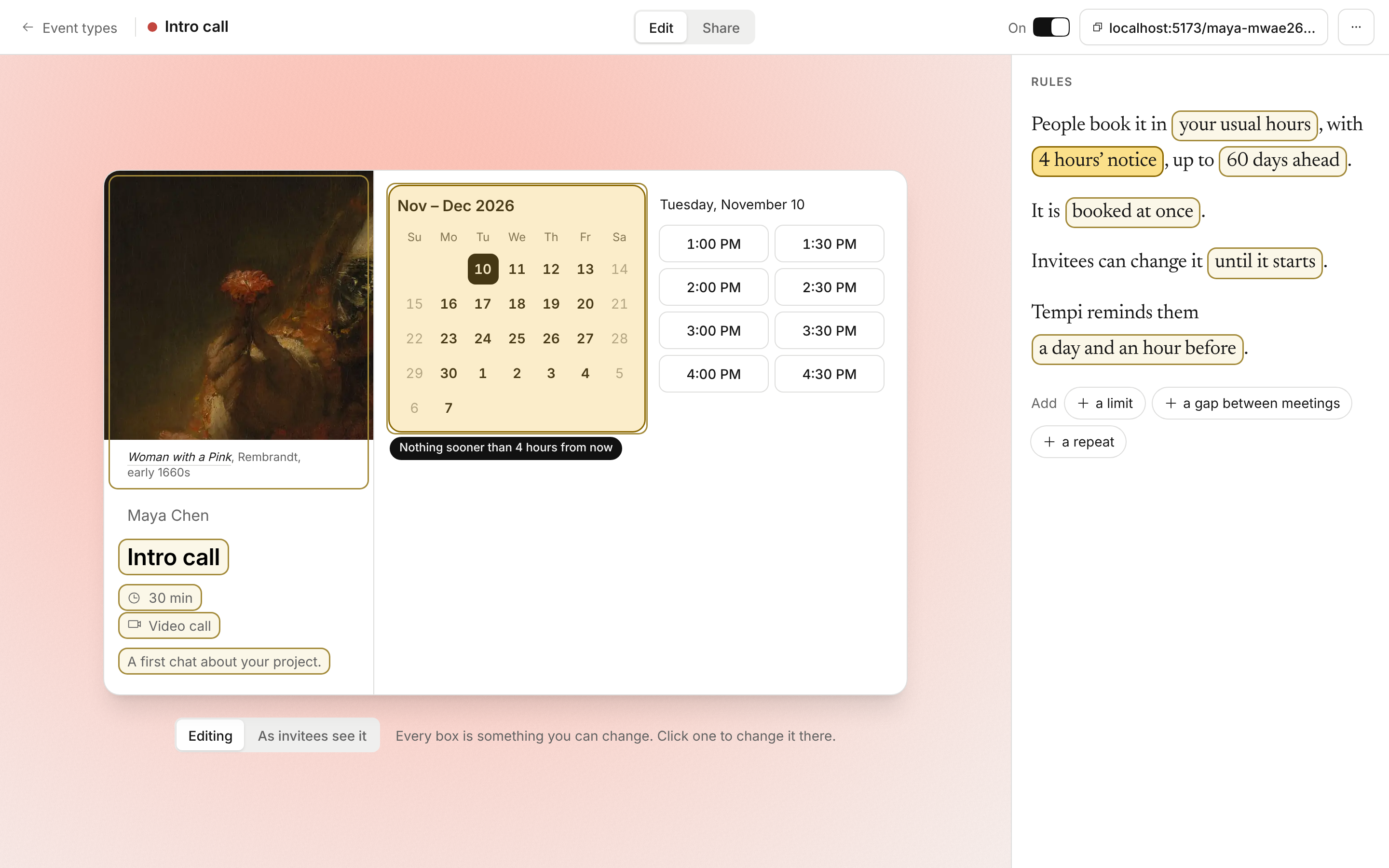
Making or changing an event type happened in a dialog: one long form, with most of it folded away, and a small picture of the page beside it. You filled in fields and hoped the page came out right.
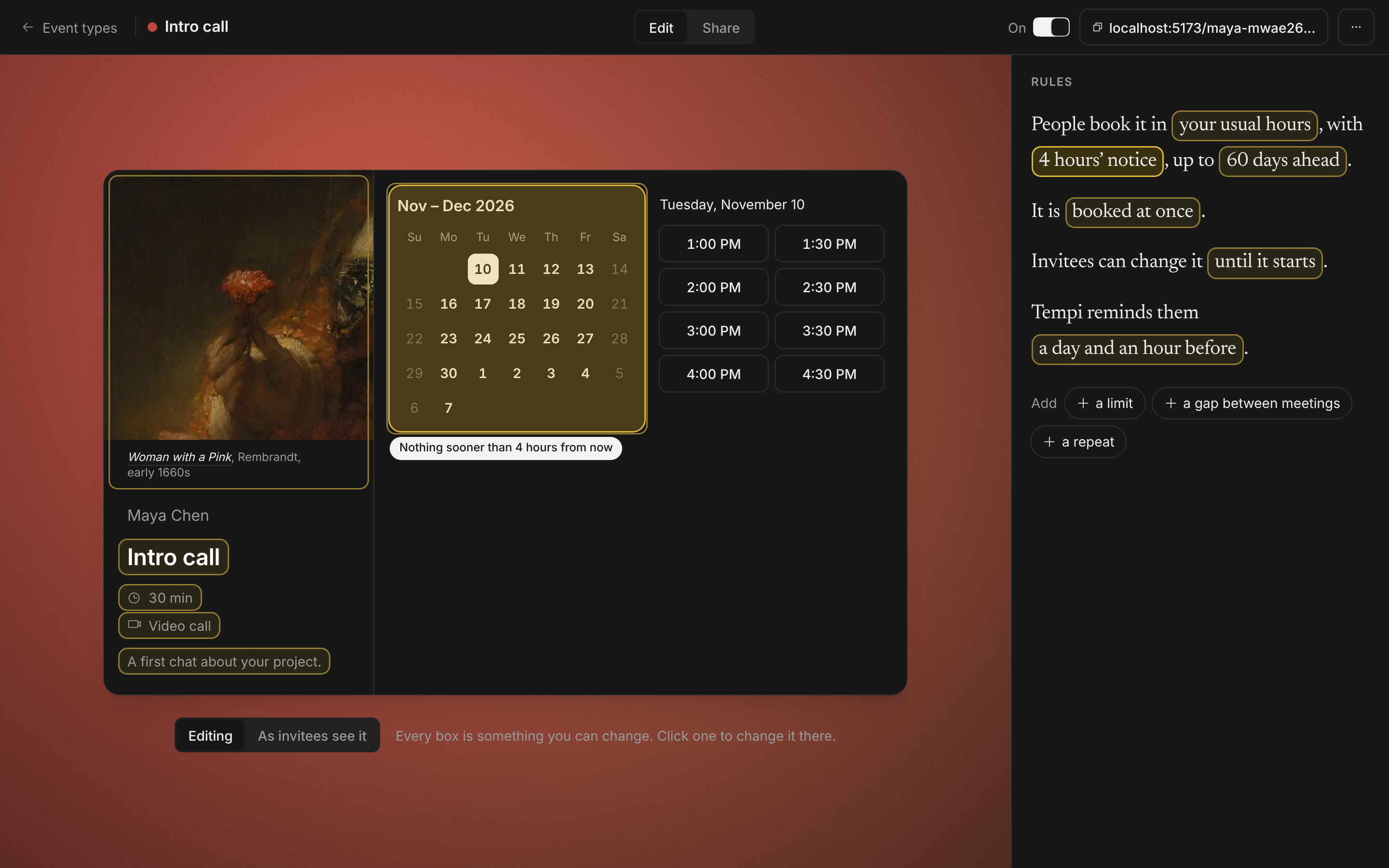
Now each event type has a page of its own. The booking page is in the middle, as invitees get it, and every part you can change is a box: the name, the length, where it happens, the painting, the hours. Click one and you change it right there. Beside the page, Rules says the rest in a few sentences, like “People book it in your usual hours, with 4 hours’ notice, up to 60 days ahead.” Each value is a box too. Point at one and the part of the page it changes lights up.
It saves as you go, with Undo beside the name. A new event type starts with three questions: its name, how long, and where.
Improvements
7
- To check, at the top of Rules, lists what stops bookings or needs you: no video call set up, an address still missing, nobody able to book.
- Hours shows the next seven days for the event type. Green is when people can book. Your bookings and busy time in your calendars are drawn over it, and a closed day says why.
- A limit, a gap between meetings and a repeat are added from the foot of Rules. Point at a rule’s minus to see what would go, and Undo brings it back.
- As invitees see it shows the page with no boxes, to check it before you send the link.
- Share is a tab of the same page: the link with its preview, the code for a website or Notion, your email signature, and what an AI assistant needs to book it. Each shows what it will look like where it lands.
- On a phone, Rules, Page and Share take turns. Each change opens as a sheet under your thumb, with the part of the page it changes.
- Duplicate makes the copy at once and opens it.