Booking that fits a phone
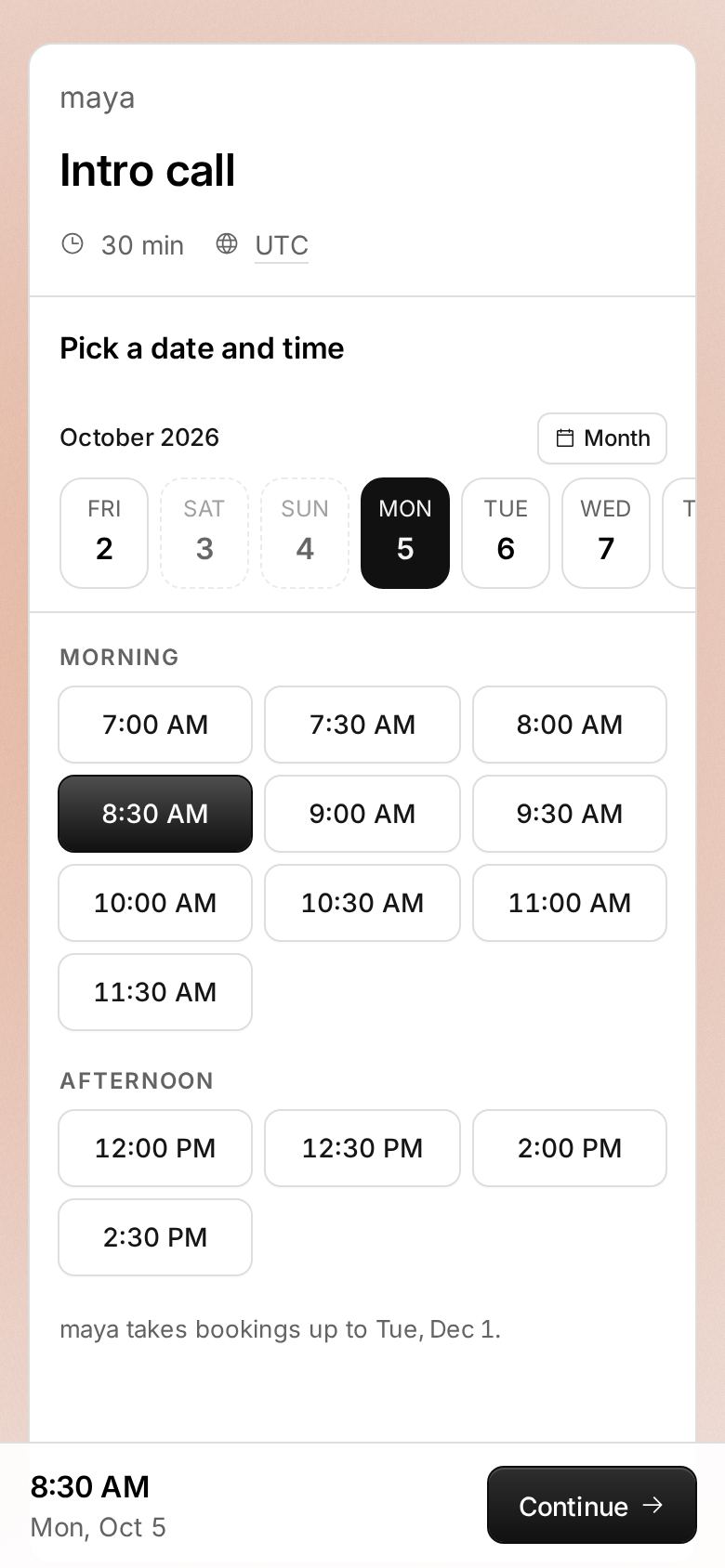
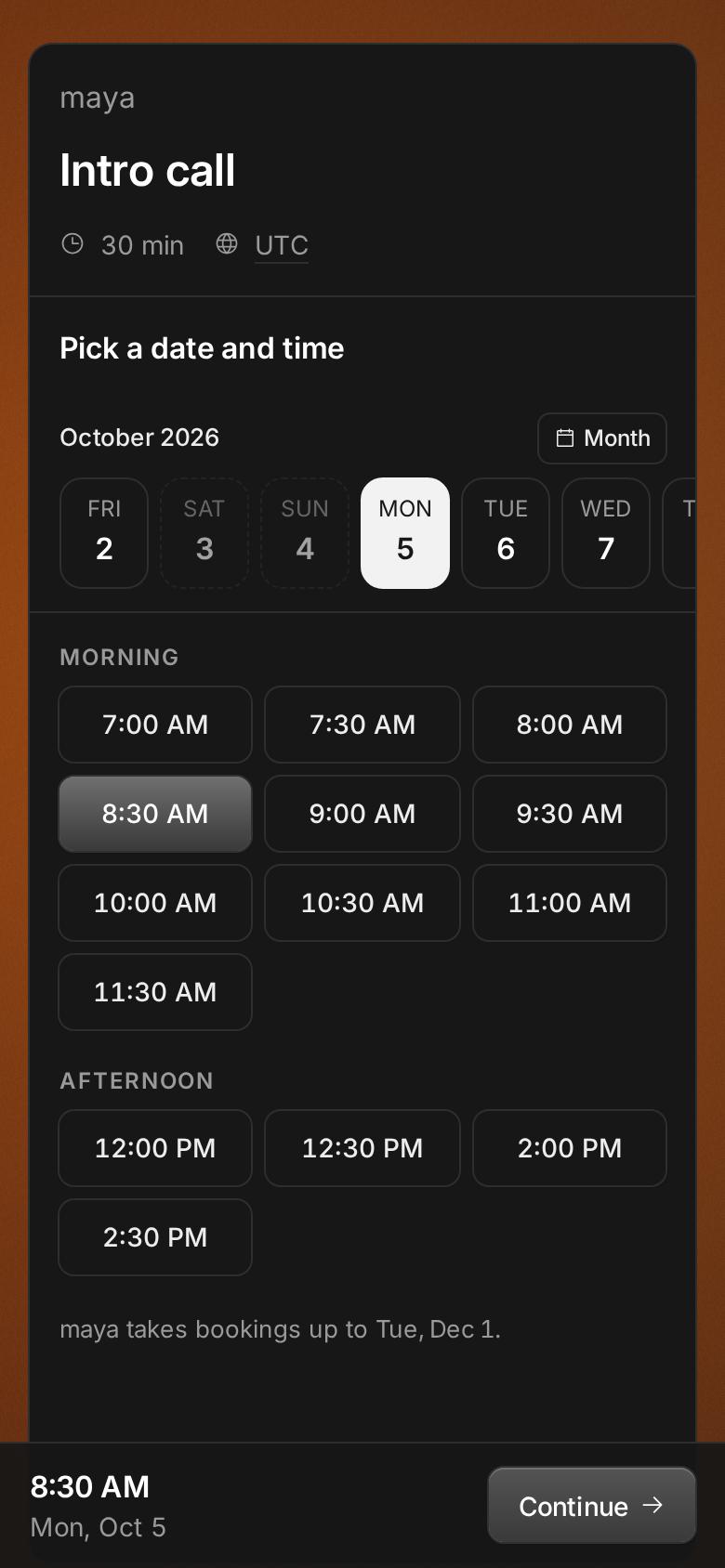
Most invitees open your link on a phone. There the month calendar filled the screen, the times sat below it, and changing day meant scrolling back up. Now a strip of days stays at the top while the times scroll under it, grouped as morning, afternoon and evening.
A tap picks a time, and a bar under your thumb shows it, large, with its day and Continue. A mis-tap while scrolling costs nothing. Month opens the calendar for days further out. Rescheduling on a phone works the same way.
Improvements
12
- The booking confirmation reads like a receipt: when, where with a copy button, how soon, what time it is for the host when their clock differs, and the note you left. One line at the foot says where the confirmation went and links to changes. When the host’s calendar sends you an invitation, it says so, so you don’t add the meeting twice. The light on its cover leans toward your pointer.
- Your booking’s page matches the confirmation: its cover, the same facts, the light, and a note when the host’s calendar invited you. Rescheduling works like booking. Pick a time, check the change side by side, then move it. Afterwards the old time stays, struck through, under the new one.
- Booking emails match the confirmation: the event type’s color along the top, what time it is for the host when their clock differs, and the note you left. Calendar files carry the meeting link to open and your note.
- At night the i’s dot is the moon, when it is up: where it stands in your sky, and the home page has moonlight.
- Booking pages are quieter: the “Booking with an AI assistant?” note is gone. AI assistants still book your links through Tempi’s MCP server.
- Booking moves with you. The time you pick travels into the summary, then into your confirmation, as the card takes its new shape. Rescheduling moves the same way: your booking’s time steps aside for the new one, and the new one lands in your booking. With reduced motion on, steps cross-fade in place.
- Confirming a booking is faster. Tempi checks the host’s calendar while you fill in your details, and sends you back to the times at once if someone takes yours meanwhile.
- Bookings made in the last day show as New in Bookings, with a dot on the calendar. A booking you open from its email rings on the calendar as it comes into view.
- Your emails about a booking carry its event type’s color along the top too, as your invitee’s do.
- Pages that can’t be shown have a new look: a window of soft light, one line on what happened, and the way on. Each broken link keeps its own light. A booking link you turned off lists your other event types, so invitees can book one of those instead.
- Your confirmation and your booking’s page link back to the host’s booking page, above the card.
- The Share dialog says that your invitees’ AI assistants, like Claude or ChatGPT, can book your link too, and links to how it works.
Fixes
9
- When someone books your time first, the times say which one, open on its day, and no longer offer it. Rescheduling does the same.
- On a phone, the lines under your meeting’s time (how soon, the host’s time) are a size larger, and a long email address wraps whole instead of splitting a line.
- Booking without a connection says so at once, instead of waiting with a spinning button. What you typed stays.
- On iPhone, the bar under your thumb, the dashboard’s bottom bar and the home page’s header are no longer see-through, and date fields fit the screen.
- Bookings on a phone opens as a list by day, each booking on one line with its time, who and what. Tap one to see it, move it or cancel it. On a computer, the list reads the same way.
- Setting-up reminders (your name, your calendar) stay on your Event types page instead of every page.
- Link previews show up faster in Slack, X and messages, and in the Share dialog, which starts loading yours as you reach for Share.
- Old or mistyped links show a page that says so, instead of a blank page or one that kept reloading.
- A booking link cut short, by an email app wrapping it, says the booking can’t be found instead of asking you to load the page again.